
Check against your vehicle’s own specs from its service information or a shop printout, or against the app’s generic targets for a typical street car, which are always marked as generic. Built-in factory specs are coming soon.
Rack-free alignment
Align your wheels in your driveway
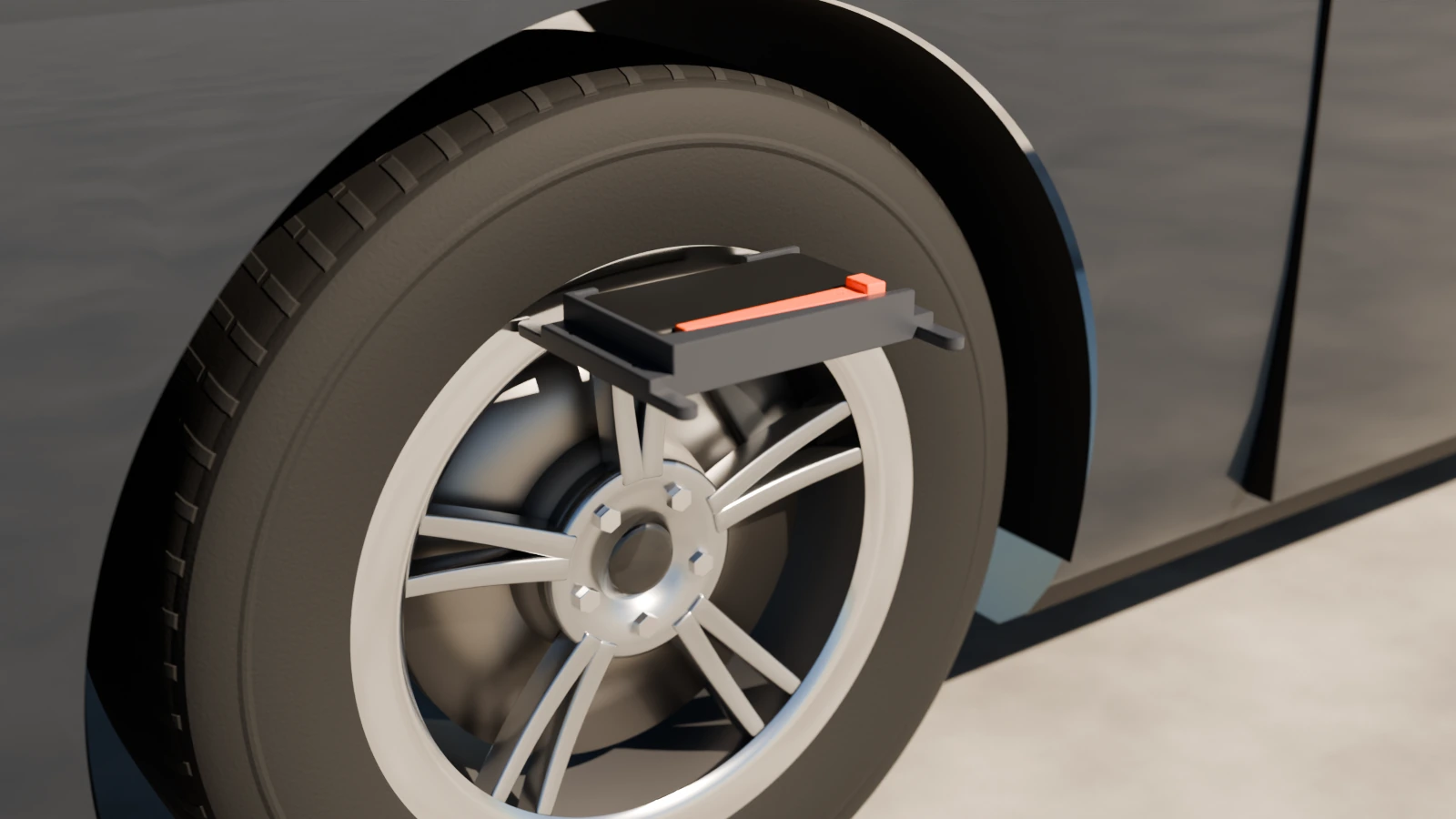
Rim Reader turns your phone and a 3D-printed bracket into a wheel alignment tool. It reads toe, steer-ahead, thrust angle and camber from the phone’s own gyroscope and accelerometer, with no strings, lasers or alignment rack.
What it measures
The angles that wear your tires and tilt your steering wheel
Toe
Each wheel’s toe-in or toe-out, and each axle’s total. Toe is the angle you adjust most, and the one that wears tires fastest when it is off.
Steer-ahead
Whether your steering wheel will sit straight when the car drives straight. It is the commonest reason a car comes back from an alignment with the wheel still crooked.
Thrust angle
Where the rear axle points the car, measured against the body at the front door glass. It also shows which rear wheel is the one that is off.
Camber
Each wheel’s lean and each axle’s cross camber, corrected for the slope of the floor beside each tire.
What to adjust
One line per front wheel: turn the front of the tire in or out, and by how much, to reach the middle of your spec.
Caster Coming later
Planned, read by steering each front wheel left and right. It is greyed out in the app until it is built and tested.
How it works
Print, calibrate, walk the car
1
Print the bracket
A flat bracket holds your phone and touches the rim’s lip at two points, the same way every time. Print ours (files at launch), or make your own.
2
Calibrate
A few minutes on a hard floor against a wall measures your bracket and how the phone sits in it. Repeat every 30 days; the app reminds you.
3
Walk the car
Hold the bracket on each wheel the screen lights. Readings are taken by themselves: hold still and the phone beeps and buzzes. A full lap is 16 readings.
4
Read and adjust
Every number comes with a confidence, High, Medium or Low, and the reasons. Adjust, measure again, and compare before and after.
Built to be honest
It checks its own work
- Every wheel is read twice, with a lift between. If the bracket didn’t go back on the same spot, the app knows at that wheel, in seconds.
- Drift is measured, not guessed. Each wheel is visited twice, so the app measures how far the phone’s gyroscope drifted during your walk and removes it.
- Every result is rated. High, Medium or Low confidence, with the reasons in plain words. If a lap doesn’t close, it shows no numbers rather than wrong ones.
- It never uses the compass. A compass is useless next to a steel car.
0.013°rear total toe, lap to lap (standard deviation, 8 laps)
0.026°front total toe, lap to lap (same 8 laps)
0.018°camber at one wheel, 11 separate sessions
about 2¼ mina full four-wheel toe lap, by a practised user
Measured repeatability on one car with one phone, in our own tests. It has not yet been compared with a professional alignment rack. The numbers, how we got them, and the limits.
Reports
A report anyone can read
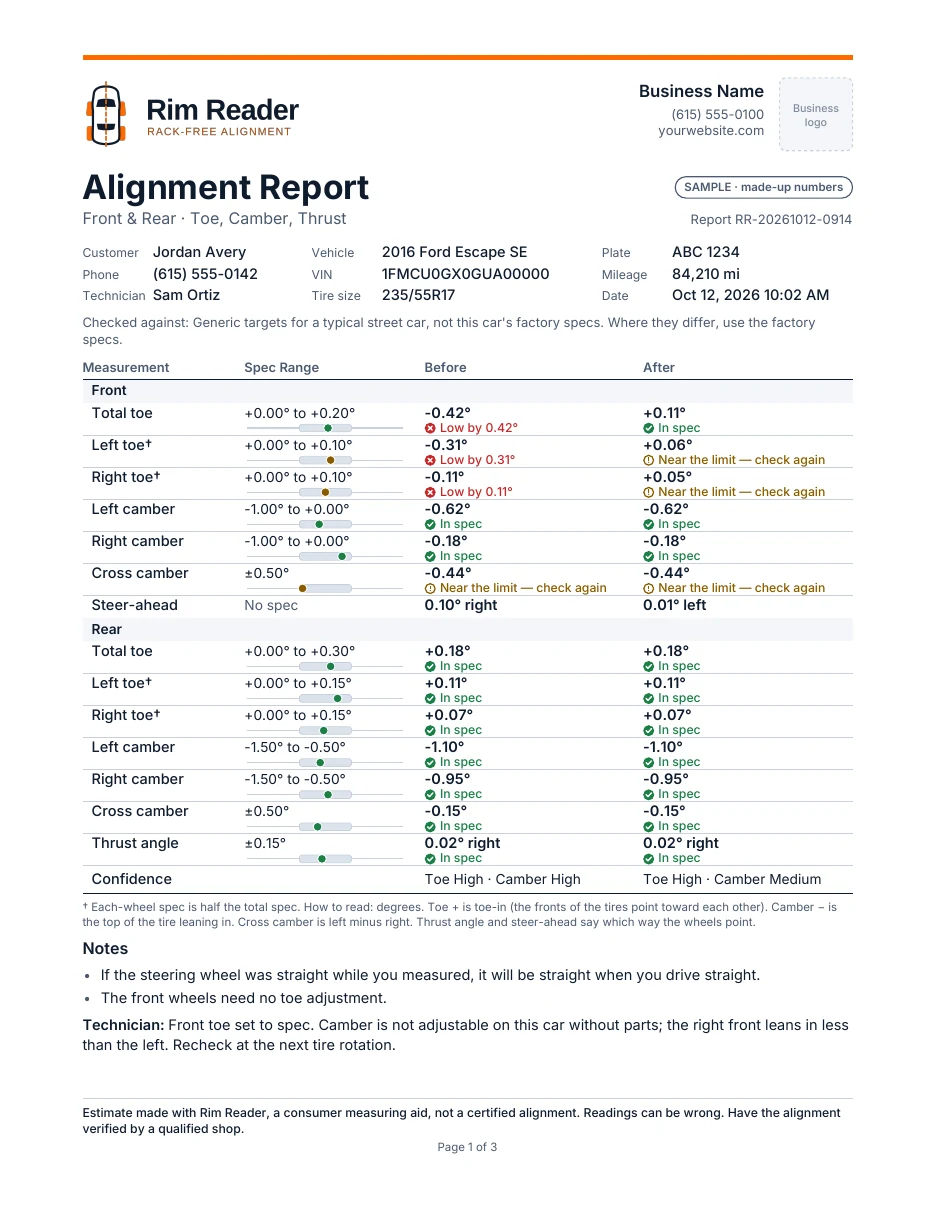
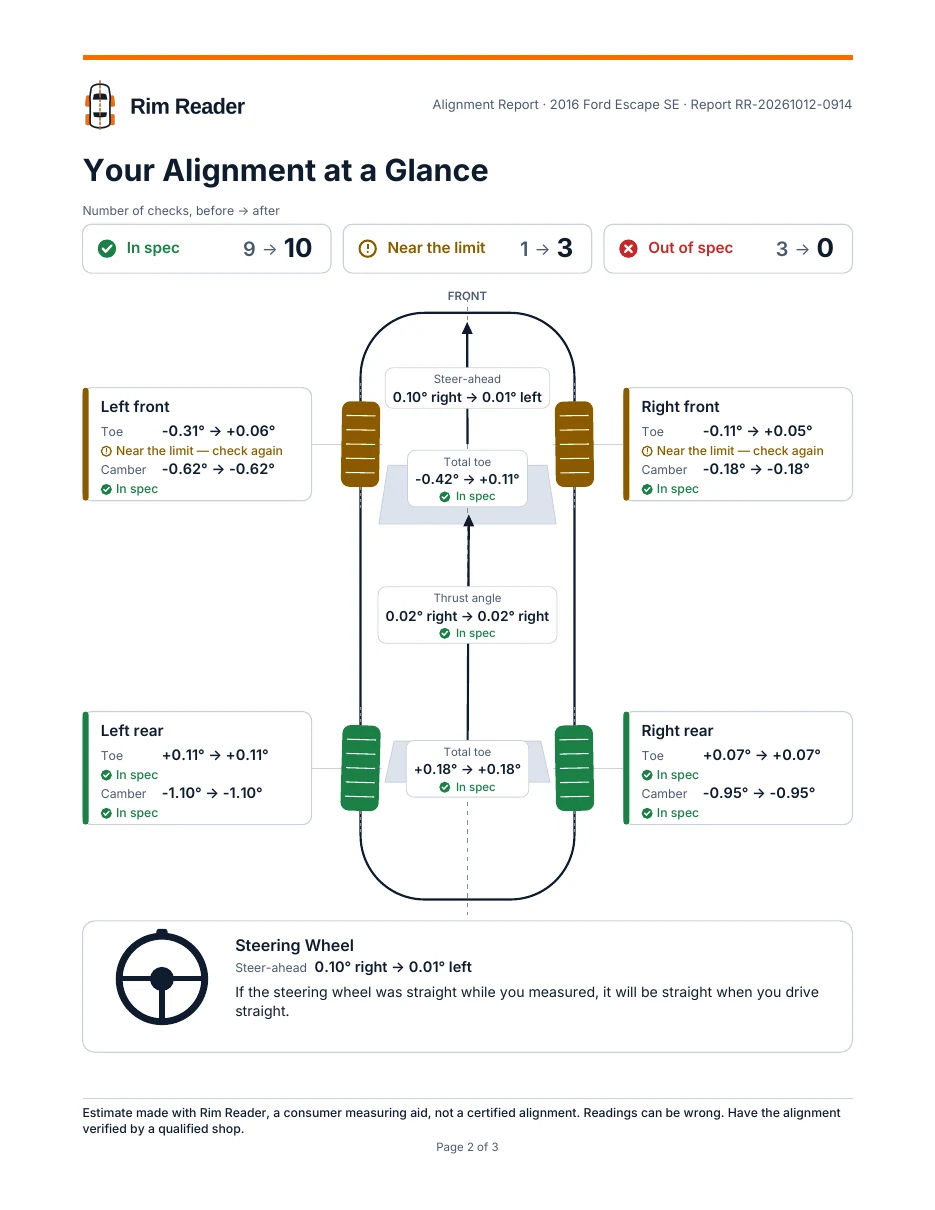
Any saved reading can make a three-page PDF. Page one is laid out like a shop’s printout: each angle, its spec range and its status in words, In spec, Near the limit — check again or Low by 0.31°. Page two shows the same numbers on a picture of the car, with where the steering wheel will sit. Page three explains toe, camber and thrust in plain words.
Mobile mechanics and shops will be able to add their name and logo, compare before and after side by side, or print a check-only report with a recommended service. Those features are coming with the shop plans.
Who it’s for
From the driveway to the service truck
Do-it-yourselfers
Check and set toe after replacing tie rods, struts or control arms, or after a pothole, without a shop trip for every adjustment.
Enthusiasts
Lowered and lifted cars, autocross and track days, classics: check alignment as often as you change it.
Mobile mechanics
Check alignment in the customer’s driveway after suspension or steering work, and hand them a report.
Shops without a rack
Check toe and camber between alignments, without the cost and floor space of an alignment rack.
Works offline
No signal needed in the garage. No account and no login.
Your data stays on your phone
Vehicles, readings and settings stay on your phone unless you share them. See the privacy policy.
Lessons built in
Sixteen short animated lessons play before each job until you turn them off. Watch them here.
Availability
Coming soon to Google Play
Rim Reader is in testing on Android. An iPhone version will follow. The bracket’s print files will be published when the app launches, and pricing will be announced at launch.
Want to hear when it’s ready? Email info@rimreader.com.